
Top 5 Smart Home Upgrades Under $50
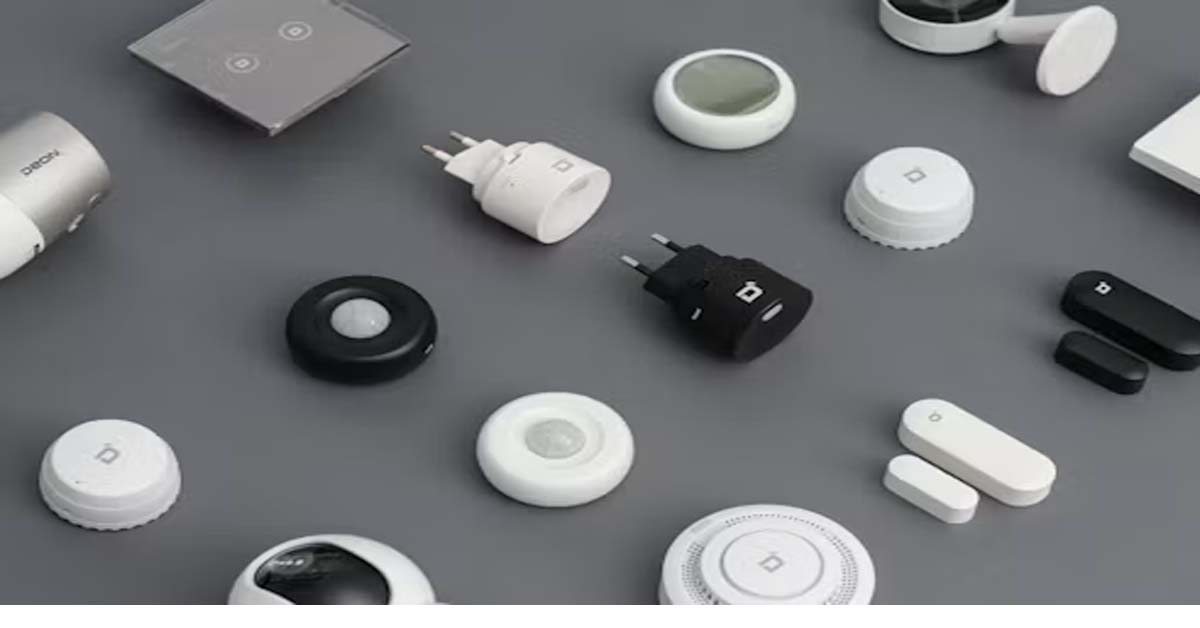
Top 5 Smart Home Upgrades Under $50
You do not need to spend hundreds of dollars to make your home smarter. In 2026, affordable smart-home technology has become much more accessible, with useful devices for lighting, automation, security, and home monitoring available for under $50.
The key is choosing upgrades that solve an actual everyday problem instead of buying gadgets simply because they look impressive.
A smart plug can automate an ordinary lamp, a smart bulb can transform the lighting in a room, and an inexpensive sensor can trigger useful routines. Some affordable cameras can also provide basic home monitoring without requiring a large upfront investment.
If you are building your first smart home or simply want to make your existing setup more convenient, here are five smart home upgrades under $50 worth considering in 2026.
1. Smart Plugs — The Easiest Upgrade
A smart plug is one of the simplest ways to add automation to an existing device.
Instead of replacing your lamp, fan, or another compatible appliance, you plug it into the smart plug. You can then control the connected device through an app or, depending on compatibility, through a smart-home assistant.
Some smart plugs can also be scheduled to turn devices on or off automatically.
What Can You Do With a Smart Plug?
You could use one to:
-
Turn a lamp on at a scheduled time
-
Switch lights off automatically
-
Create a morning routine
-
Control compatible devices remotely
-
Automate holiday or decorative lighting
-
Reduce the need to manually operate certain devices
Budget smart plugs are widely available, and some multi-packs can cost less than $50. Current 2026 buying guides list options such as the TP-Link Kasa Smart Plug Mini and other inexpensive smart plugs among their budget recommendations.
Why It Is Worth It
Smart plugs are inexpensive, easy to install, and useful even if you do not want to build a complete smart home.
Best for: Beginners who want simple automation.
2. Smart LED Bulbs — Upgrade Your Lighting
Changing your lighting can make a room feel completely different without replacing furniture or doing major electrical work.
A smart LED bulb can allow you to control brightness, colors, schedules, or other lighting features through a compatible app. Depending on the model, you may also be able to connect it with a smart-home platform.
For example, you could create a routine that turns your bedroom light on at a certain time or automatically switches lights off when you leave.
Why Smart Bulbs Are Useful
Smart bulbs can provide:
-
App-based control
-
Adjustable brightness
-
Scheduling
-
Different colors on compatible models
-
Voice control with compatible systems
-
Automated lighting routines
Budget smart lighting has become particularly accessible. Current 2026 coverage includes affordable bulbs and lighting products below $50, while some smart-home ranges offer even less expensive individual bulbs.
A Simple Budget Idea
You do not need to replace every bulb in your home.
Start with one room—perhaps a bedroom, study area, or living room—and see whether the added convenience is useful.
Best for: Anyone who wants an inexpensive visual and practical upgrade.
3. Budget Smart Security Cameras
A smart indoor camera can provide another useful upgrade for people who want to monitor an area of their home.
Affordable cameras may offer features such as motion detection, live viewing, night vision, and smartphone notifications. Some models can also support local storage, depending on the device and setup.
Several 2026 buying guides identify budget security cameras as useful smart-home upgrades below $50. For example, current recommendations include the Wyze Cam v4 at around the mid-$30 range in some listings.
What Should You Look For?
Before buying a smart camera, check:
-
Video resolution
-
Night-vision capability
-
Motion detection
-
Storage options
-
App quality
-
Wi-Fi requirements
-
Privacy controls
-
Subscription requirements
A low purchase price does not necessarily mean low total cost. Some cameras offer optional paid cloud features, while others support local storage.
Think About Privacy
A camera is different from most smart-home gadgets because it can capture images or video.
Place cameras thoughtfully, use strong account security, and understand how recordings are stored and accessed.
Best for: Basic indoor monitoring and keeping an eye on important areas.
4. Smart Temperature and Humidity Sensors
Not every smart-home upgrade needs to control something. Some devices simply help you understand what is happening inside your home.
A temperature and humidity sensor can monitor environmental conditions and display information through a compatible app. Some models can send alerts when conditions change.
For example, you might use one in a room where temperature or humidity is important to monitor.
Current 2026 budget smart-home guides include inexpensive temperature and humidity monitors at around $20.
Why Sensors Matter
Sensors can become the foundation for automation.
Instead of simply controlling something manually, a smart home can potentially respond to information from its environment.
For example:
Temperature changes → automation or notification
or
Room conditions change → check the environment
The exact automation possibilities depend on the sensor, smart-home platform, and compatible devices.
Best for: Home monitoring and people interested in building more advanced automations later.
5. Smart Motion or Door Sensors
Small sensors can create surprisingly useful automations.
A motion sensor can detect movement in an area, while a door or window sensor can detect whether something is open or closed.
These devices are generally small and can be useful for everyday routines.
For example, a compatible motion sensor could be used to trigger a light when movement is detected. A door sensor could notify you when a door opens, depending on the system.
Some 2026 smart-home recommendations include inexpensive motion and door sensors as budget-friendly ways to expand automation.
Why Sensors Are a Smart Investment
Sensors allow your smart home to react to events instead of simply following a fixed schedule.
A basic setup might work like:
Motion detected → compatible light turns on
or:
Door opens → notification is sent
The exact functionality depends on compatibility between your sensor, smart-home platform, and other devices.
Best for: People who want to move beyond simple app-controlled gadgets and create useful routines.
How to Choose the Right Upgrade
You do not need to buy all five devices at once.
Instead, start with the problem you want to solve.
If You Want Convenience
Choose a smart plug.
It is one of the easiest ways to automate an existing device.
If You Want Better Lighting
Choose a smart bulb.
It can add scheduling, brightness control, and other features without changing your furniture or room layout.
If You Want Basic Monitoring
Consider a smart camera.
Just make sure you understand its privacy features and storage options.
If You Want Environmental Information
Choose a temperature and humidity sensor.
It can help you understand conditions inside a room.
If You Want Automation
Choose a motion or door sensor.
Sensors can become the triggers for more useful smart-home routines.
Check Compatibility Before Buying
One of the biggest mistakes beginners make is buying devices without checking whether they work together.
Before purchasing, look for compatibility with the smart-home platform you already use or plan to use.
You may see terms such as:
-
Alexa compatibility
-
Google Home compatibility
-
Apple Home compatibility
-
Matter compatibility
-
Wi-Fi
-
Bluetooth
-
Thread
Matter is particularly worth understanding if you want flexibility when choosing devices, because it is designed to improve interoperability between compatible smart-home ecosystems.
However, compatibility can vary by device and feature, so always check the manufacturer's current specifications.
Do You Really Need a Hub?
Not necessarily.
Some inexpensive smart-home devices connect directly through Wi-Fi or Bluetooth and do not require a separate hub.
Other devices—particularly certain sensors and low-power products—may require a hub or compatible controller.
This matters when calculating your budget.
A device advertised for $25 may not be a complete $25 setup if it requires another piece of hardware to function.
Always calculate the total setup cost, not just the price of the main device.
Final Thoughts
You do not need a huge budget to start creating a smarter home.
For under $50 per upgrade, smart plugs, smart bulbs, budget cameras, environmental sensors, and motion or door sensors can add useful features without requiring major renovations.
The best approach is to start small. Choose one device that solves a real problem, check its compatibility, understand any subscription or hub requirements, and then expand gradually if you find the technology useful.
A smart home is not about having the most gadgets. It is about using technology to make everyday tasks simpler, more convenient, and more automated—and in 2026, you can start doing that without spending hundreds of dollars.